
by Amy | Nov 12, 2008 | Did You Know, HOW TO: Typepad
File Naming First, in Typepad, when uploading files to the file manager (Control Panel, Files) you CANNOT use spaces or other funky characters (although underscores are permitted). So for example, if you created an image for the Birthday Promotion. You cannot...
by Amy | Nov 12, 2008 | Image Editing
Amy Celona (www.websbyamy.com), a fellow demonstrator, has downloaded and created tutorials using GIMG (www.GIMP.org) – a free photo editing software for both the Mac and Windows (PC). Although it is free, she says it "is an awesome and powerful application...
by Amy | Nov 12, 2008 | HOW TO: Blogger, HOW TO: Typepad, HOW TO: WordPress, Image Editing
In the past I have written this article about how to get or create images for your sidebars: https://www.blogsbyheather.com/2008/10/how-to-get-the-images-for-the-sidebars.html However, for those Stampin' Up! demonstrators, Michelle Laycock (www.laycockdesigns.com)...
by Amy | Nov 6, 2008 | Image Editing
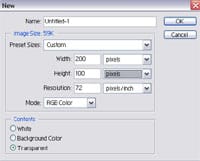
Although many demonstrators use Photoshop Elements to create a watermark, here is a tutorial in Photoshop. I have an older version, Photoshop 7.0, but I'm sure there are similar steps and features in Photoshop CS versions since basically we just use the Text tool...

by Amy | Nov 5, 2008 | Announcements, HOW TO: Typepad
Typepad has a new look! It is coming out with a new version! Not all customers are upgraded yet or have the "new look" but I wanted to share it with you so you'll see the great things to come! Navigation Bar This is something wonderful and very desired!...
