
Blog
Keep visiting this page to view the latest posts!
Using a Favicon
Another tip by Michelle Laycock...www.laycockdesigns.com Upload a Favicon to your blog (this is the small graphic that appears in front of your web address/URL in the internet address bar). http://laycockdesigns.com/typepad-tips/favicon-favicon-favicon/...
How To Remove Blogger NavBar
A little tip from my pal Michelle Laycock....www.laycockdesigns.com. How to remove the navigation bar in Blogger blogs (By Michelle Laycock): http://laycockdesigns.com/blogger-tips/how-to-remove-the-next-blog-from-blogger-blogs/ Happy blogging!
Keeping Your Stats Private
Many people use SiteMeter to track their "stats" for their blog. However, to keep your stats private and not allow blog visitors to see them, you simply have to change the Privacy Level. Login to SiteMeter. Click on the Manager text link in the...

Adding a “Feature This Post” in Blogger!
I recently was asked how to have a post stay at the top, before all other posts, similar to that of the "Feature This Post" option in Typepad. This is possible in Blogger! You just have to tweak one area, one line of code in HTML. Login to Blogger. Old...
Blogger Gift Registry Instructions Coming Soon!
Hi Blogger bloggers! I haven't forgotten about you! The Blogger tutorial for the Gift Registry is just a little different than Typepad's because there isn't a file manager. Instead Google Docs will be used. Anyway, I still have to put...

Typepad: How to create a Gift Registry
It's that time of year and you may want to add a Wish List and Gift Registry to your site. Here are some basic, step-by-step instructions on how to accomplish this, however if you get stuck, feel free to contact me and I'd be more than happy to help!...

Capturing part of an image to later use…
A fellow demonstrator had asked, how do they use "part" of an image in a PDF file. These instructions will work for other types of files as well. And you do not have to be a demonstrator to use the tutorials here on this blog. Okay, here we go: Open the PDF...
What are Trackbacks?
You can read any of the following links or articles to get a general understanding of a trackback or backlink. In short, they display other blogs or websites that "link" "back" to your post(s). This, generally is a good thing. Typepad...
Make Blogger Act Like Typepad (A Few Tricks)
I have a Typepad blog for my blogging business (www.blogsbyheather.com) and a Blogger Blog for my Stampin’ business (www.handstampedbyheather.com). So, because I have to maintain my own stamping blog, I am always thinking of blogger work arounds to be...
Adding a Signature To Your Post
I've had this question asked alot recently so I thought I'd write a mini tutorial to try and help as many people as I can. In short, and for beginners, adding a signature or "siggy", is the same as adding any other image to your blog post. Meaning,...
Sign up for my Constant Contact Setup Service and get the next newsletter FREE!
It's that time of year and promotions are running wild! Stay in touch with your customers and entice new customers with a brand new, professional newsletter (Constant Contact)! My setup service includes Importing existing contacts/customers you...

Sign Up for a Blog Setup or Blog Makeover and I’ll do the Gift Registry as well for FREE!
Need a new blog or just want to revamp an existing one? This is the perfect and best time of year to sign up for one! Now until Dec. 31, 2008 get the gift registry added for FREE when you sign up for a blog setup/makeover! When you sign up...
Creating a Post Template
This general rule can be applied to many blogging platforms: Typepad, Blogger, or WordPress. Basically, to create a post template, create a post with you opening or with your signature and closing, and then save it as a DRAFT instead of publishing it. Then when...
Typepad: File Names are Case Sensitive
File Naming First, in Typepad, when uploading files to the file manager (Control Panel, Files) you CANNOT use spaces or other funky characters (although underscores are permitted). So for example, if you created an image for the Birthday Promotion. You cannot...
Using GIMP (a free program for Mac and PC) to create a Watermark
Amy Celona (www.websbyamy.com), a fellow demonstrator, has downloaded and created tutorials using GIMG (www.GIMP.org) - a free photo editing software for both the Mac and Windows (PC). Although it is free, she says it "is an awesome and powerful application that...
Get new images for you sidebars!
In the past I have written this article about how to get or create images for your sidebars: https://www.blogsbyheather.com/2008/10/how-to-get-the-images-for-the-sidebars.html However, for those Stampin' Up! demonstrators, Michelle Laycock (www.laycockdesigns.com)...
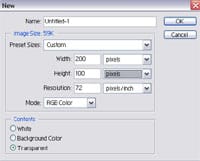
How to create a watermark in Photoshop
Although many demonstrators use Photoshop Elements to create a watermark, here is a tutorial in Photoshop. I have an older version, Photoshop 7.0, but I'm sure there are similar steps and features in Photoshop CS versions since basically we just use the Text tool...

Typepad has a new look!
Typepad has a new look! It is coming out with a new version! Not all customers are upgraded yet or have the "new look" but I wanted to share it with you so you'll see the great things to come! Navigation Bar This is something wonderful and very desired!...

Are you up to the challenge? John Sanpietro’s blogging contest!
November is national blogging month and John Sanpietro from Stamping Is My Business (SIMB), www.stampingismybusiness.com, is having a blog contest. Click here to find out more and to enter your chance to win a $50 SIMB Gift Certificate! John...
iWatermark for the Mac (FREE Watermark Program)
My last post was about a FREE program for a PC. Michelle Laycock, www.laycockdesignscom, has created a wonderful tutorial for the Mac using a FREE program called iWatermark. Here is a direct link to her tutorial:...
Error: No feed found.
Please go to the Instagram Feed settings page to create a feed.