
by Amy | Nov 28, 2010 | HOW TO: Blogger, HOW TO: Typepad, HOW TO: WordPress, SU DEMOS: Buttons
Do you have your own Design Team? Or simply want a place where you can have blog readers upload their samples to your blog, whether it be for a contest or simply to participate in an event? Do you want to have a Blog Hop and want to have all the lists/links to...
by Amy | Nov 19, 2010 | HOW TO: Blogger
A few customers have asked me how to do this, how to hide the Blogger Nav Bar. There is a quick and easy way now with Blogger's new Template Designer. Go to Design Template Designer Advanced Add CSS Paste this code: div.navbar { opacity:0.0; display:none; }...
by Amy | Nov 16, 2010 | HOW TO: Blogger
When you create a new blog in Blogger the Profile gadget is placed in your sidebar by default. Additionally, if you add upload a profile picture, it will also be displayed in the sidebar as well (in the Profile gadget). Many customers have emailed me about how...
by Amy | Nov 12, 2010 | Did You Know, HOW TO: Blogger
Many of you know I have a crafty side and like making handmade cards (www.HandStampedByHeather.com). Well, last weekend I was part of a blog tour, The Royal Blog Tour, and a fellow demonstrator, Sharon Field, said she had trouble entering a comment on my blog. In my...
by Amy | Oct 24, 2010 | Did You Know, HOW TO: Blogger, HOW TO: Typepad
Transfer Posts Only I wanted to follow up about a recent article regarding the transfer from Blogger to Typepad. To recap, you used to transfer your Blogger posts to Typepad in one shot. However, when working recently with Sage Kimble, I found that only a...
by Amy | Oct 13, 2010 | HOW TO: Blogger, HOW TO: Typepad, HOW TO: WordPress, HTML Help
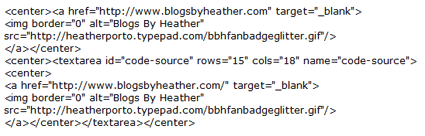
With new formatting, it's hard to share HTML code inside a post at times, so I saved the code documented in this post as an image (you'll see below in Modifying and Understanding the Code), and you may also download the code in this text file here. The first...
