
Blog
Keep visiting this page to view the latest posts!
101 Blogging Tips: Tip #67 (Finding Great Content and Content Curation)
I'm excited to share this series with you, called "101 Blogging Tips". In the series there will be 101 blogging tips that you can begin applying to your blog today! Don't wait, get started now! Tip #67: Content Curation I recently read a great...
101 Blogging Tips: Tip #66 (Using Excerpts)
I'm excited to share this series with you, called "101 Blogging Tips". In the series there will be 101 blogging tips that you can begin applying to your blog today! Don't wait, get started now! Tip #66: Use the Excerpt Feature This is a popular...
101 Blogging Tips: Tip #65 (Have you heard of Creative Commons?)
I'm excited to share this series with you, called "101 Blogging Tips". In the series there will be 101 blogging tips that you can begin applying to your blog today! Don't wait, get started now! Tip #65: Check Out Creative Commons You may have heard...
101 Blogging Tips: Tip #64 (Need help with content creation?)
I'm excited to share this series with you, called "101 Blogging Tips". In the series there will be 101 blogging tips that you can begin applying to your blog today! Don't wait, get started now! Tip #64: Give Storify a try! Storify is a very...

101 Blogging Tips: Tip #63 (Going Places…Google Places For Business)
I'm excited to share this series with you, called "101 Blogging Tips". In the series there will be 101 blogging tips that you can begin applying to your blog today! Don't wait, get started now! Tip #63: How To Setup Google Places for Business...
101 Blogging Tips: Tip #62 (Setup Google Alerts)
I'm excited to share this series with you, called "101 Blogging Tips". In the series there will be 101 blogging tips that you can begin applying to your blog today! Don't wait, get started now! Tip #62: Setup Google Alerts To keep up with what's...

101 Blogging Tips: Tip #61 (Is Your Site Up or Down)
I'm excited to share this series with you, called "101 Blogging Tips". In the series there will be 101 blogging tips that you can begin applying to your blog today! Don't wait, get started now! Tip #60: Use Pingdom Pingdom is a great tool to let you know when...

Wishing you and your family and friends….
101 Blogging Tips: Tip #60 (Find and Fix Broken Links)
I'm excited to share this series with you, called "101 Blogging Tips". In the series there will be 101 blogging tips that you can begin applying to your blog today! Don't wait, get started now! Tip #60: Find and Fix Broken Links This happens to all...
101 Blogging Tips: Tip #58 (Watermarking Your Images)
I'm excited to share this series with you, called "101 Blogging Tips". In the series there will be 101 blogging tips that you can begin applying to your blog today! Don't wait, get started now! Tip #58: Watermark Your Images In Tip #25 we discussed...
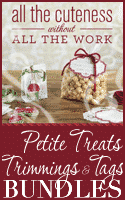
For SU Demos: All The Cuteness Promo Button (US / CAN)
Don't worry! I'll be making some buttons for my UK and AUS followers too! If you are a Stampin' Up! demonstrator in another country outside the US, CAN, UK, and AUS, leave a comment here and let me know and I can make buttons for your country's...
101 Blogging Tips: Tip #57 (Color Codes / HEX Code)
I'm excited to share this series with you, called "101 Blogging Tips". In the series there will be 101 blogging tips that you can begin applying to your blog today! Don't wait, get started now! Tip #57: How do I get the Hex Code? When I work on...
101 Blogging Tips: Tip #56 (Using CSS Code)
I'm excited to share this series with you, called "101 Blogging Tips". In the series there will be 101 blogging tips that you can begin applying to your blog today! Don't wait, get started now! Tip #56: Using CSS Code With a little CSS code, you can...

Blogger: “You have run out of space!” How to fix it!
Recently, many Blogger users have been getting a message that they have run out of space! So I wanted to address that here as well and let you know what you can do about resolving the issue. Here is the error message: Whoops! You're out of space. You are currently...

101 Blogging Tips: Tip #55 (Newsletter Sign Up)
I'm excited to share this series with you, called "101 Blogging Tips". In the series there will be 101 blogging tips that you can begin applying to your blog today! Don't wait, get started now! Tip #55: Sign Up For My Newsletter Box Once you get your...
101 Blogging Tips: Tip #54 (Long URLs)
I'm excited to share this series with you, called "101 Blogging Tips". In the series there will be 101 blogging tips that you can begin applying to your blog today! Don't wait, get started now! Tip #54: Why you should use the "long" URL....
A Day of Thanks
I just wanted to take a moment to let you - my friends, customers, fellow Demonstrators, followers of Blogs By Heather - know how much I appreciate you! That you continue to follow my blog and support Blogs By Heather and services I offer. It truly means...
101 Blogging Tips: Tip #53 (“Link Love”, Link Out)
I'm excited to share this series with you, called "101 Blogging Tips". In the series there will be 101 blogging tips that you can begin applying to your blog today! Don't wait, get started now! Tip #53: Related Articles by Zemanta - Link Love, Link...
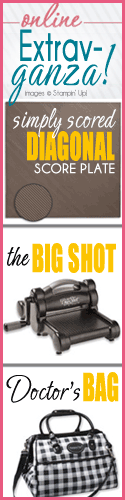
For SU Demos: Online Extravaganza Promo Buttons
Hi there!Here are some buttons I created for the new Online Extravaganza!Yes, there's a long one! LOL. But it's only for one day, so it's OK to take up your sidebar space for the special 24-hour promo (I hope). LOL. For those part of my Blogs By...
Error: No feed found.
Please go to the Instagram Feed settings page to create a feed.