
Blog
Keep visiting this page to view the latest posts!
New Typepad Blog for Lyn Puliafico – Have Fun Stamping
Have Fun Stamping is Lyn's motto! When you have a chance, check out her new blog, www.havefunstamping.com. I personally love florals and victorian-like colors (as you can see roses and greens in my blog (LOL). With Lyn's blog we also added...
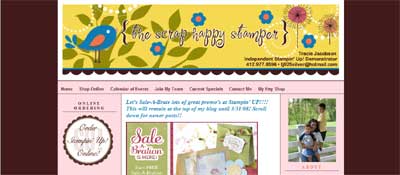
New Typepad Blog for Tracie Jacobson – The Scrap Happy Stamper
Tracie Jacobson's blog, The Scrap Happy Stamper, has a new look! One of the unique and different things we did with Tracie's blog is add a link and sidebar item for her Etsy Shop. Make sure you check it out as she continues to upload new...

New Typepad Blog for Maria Getz – Getz Stampin'
Maria Getz has a new blog look, www.getzstampin.com. She loves Kiwi Kiss and dragonflies! Michelle Laycock designed a coordinating banner and signature that you can see above, and I then installed them and added the overall color...
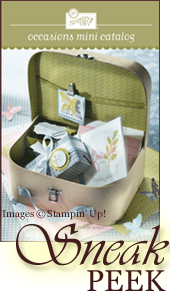
For Stampin' Up! Demonstrators: Occasions Mini Sneak Peek and March Featured Project (US)
For those of you who maintain your Stampin' Up! demonstrator blogs, here are a few new images - the sneak peek for the Occasions Mini Catalog and March 2009's Featured Project from the Stampin' Up! website! Below are the links/code for linking to the...

HOW TO: Typepad – Adding a Background
Adding a background image to your blog can make it even more beautiful and help it stand out from the rest! However, you do need to have the Pro package in order to add a background in Typepad (the $14.95/month package). Michelle Laycock, www.laycockdesigns.com, can...
HOW TO: Blogger – Adding a Background
Adding a background to your blog may make it even more beautiful and help it stand out from other bloggers! It can be subtle or not, and should compliment your banner. I have greenish swirls in my background for example (www.handstampedbyheather.com)....
Typepad: Adding a signature to the bottom of your post
This is a question often asked. While Blogger has a built-in method to automatically have the signature appear at the bottom of every post, Typepad does not. However, it is not hard to insert one at the end of every Typepad post. First you need to upload...
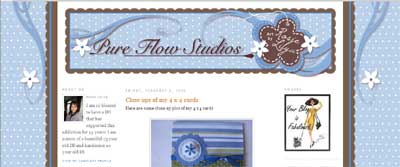
New Blog Design for Rosie Lilya, Pure Flow Studios
Rosie Lilya of Pure Flow Studios has a new look to her Blogger blog! Michelle Laycock designed the the beautiful new banner and static background image. Rosie loves polka dots! I converted to a 3 column format, modified the color scheme, and added some sidebar...
Domain Mapping with Blogger and Go Daddy
As previously mentioned, Laura Torgerud's new blog is a Blogger blog. She registered the domain name, www.stampwithlaura.com and it is mapped to her blogger address. First, you need to register a domain name. Click here for instructions...

New Blog for Laura Torgerud
Laura's new blog, www.stampwithlaura.com, is very peaceful. I love the colors Michelle Laycock designed and used in the banner. I then used those colors to finish the blog with the warm brown in the background and light blue in the sidebars, as well as using blue...
Create a PDF or Convert a PDF to MS Word/Excel/PowerPoint
Here is a FREE program that I have used and tested for customers - www.primopdf.com. So, now you don't have to have or purchase Adobe Acrobat to create your own PDFs! Again, it's free and easy to use on a PC. Let me know if you have any questions,
Nav Bar / Clickable Banner Showcase
Hi there! This week Michelle Laycock is showcasing some of the Clickable Banners we've worked on together - some for Blogger and Typepad. They are wonderful. You should take a look! She's showcasing one each day of this week. Some have all clickable...
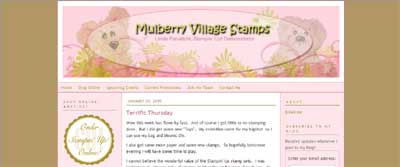
Custom Banner and Typepad Nav Bar for Linda Panattoni
Although Michelle Laycock, www.laycockdesigns.com, does the majority of my graphic design work for my blog setup customers, particularly the beautiful banners, occasionally I do some freebies. Here is a recent banner I created for Linda Panattoni, a fellow Stampin'...
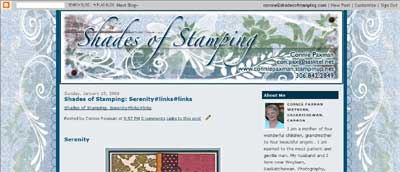
New Blogger Blog for Connie Paxman
Connie's blog contains beautiful shades of blue - just gorgious to look at! You can visit her blog at www.shadesofstamping.blogspot.com. It also features a static background with beautiful swirls and again incorporating many shades of stamping! She is a...
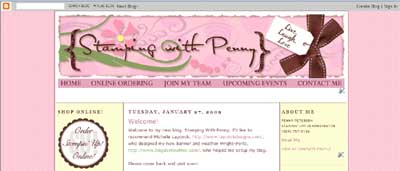
Blogger Nav Bar for Penny Peterson
As promised, I will now begin posting about new blog setups completed. This one is extra special because it has a clickable banner! Penny Peterson is a Stampin' Up! demonstrator and you may visit her new blog at www.stampingwithpenny.blogspot.com! Remember, Blogger...

Add a Constant Contact Signup Box to your blog
This is a popular question and desired item to have as part of your sidebar! However, you do need a Constant Contact account, which is separate from paying for Typepad and WordPress (Blogger is free). Click here to sign up for Constant Contact! Below you...

Customizing the Visitor Signup Form in Constant Contact
As you may know, I do have a newsletter service where I can customize your newsletter to compliment your blog - such as using the same banner and setting up and using coordinating colors in your newsletter, including all the sidebar text links to current catalogs and...
Adding a PayPal button to a Post
A very popular blogging topic is to add a way for users to pay for an upcoming class, or a product or class kit for example, you are selling. You can do this by using your PayPal account and by adding a Pay Now or Buy Now button to your post (or page). Here is...

Blogger: Linking to a PDF or Word Document in a Post
To do this in Blogger is a little different than with Typepad because Blogger does not have a File Manager. Instead, you can use a free service from Google called Google Docs (http://docs.google.com). Using Google Docs and Using the Link in a Post Go to...
Typepad: Linking to a PDF or Word Document within a Post
Recently a few people have asked me about this so I figured I'd post a more detailed tutorial on it. First, upload the file to your File Manager. Then from the files listed on the left, find the newly uploaded Word document or PDF. Then “right” click on it and...
Error: No feed found.
Please go to the Instagram Feed settings page to create a feed.