
Blog
Keep visiting this page to view the latest posts!
Try Photoshop CS6 for FREE!
If you ever wanted to try Photoshop but don't have the BIG BUCKS for it (yes, it's expensive), now Adobe is letting you TRY the new Photoshop CS6 Beta for FREE but for a limited time! So take advantage while you can and play! Be sure to read all the...

Blogger: Password Protecting your Blogger Blog
Have you wanted to password protect your Blogger blog? In this past post on building Membership Sites, we discussed a Password Protected "page" and in it discuss the existing ways to protect a site. In Blogger, this was different from TypePad and...

What’s Missing in Aweber’s New Broadcast Editor?
Have your tried Aweber's new broadcast editor (newsletter editor)? Well, it's getting there and is a great improvement needed for many - a visual editor! Aweber is well known for it's Autoresponders, Blog Broadcasts and integration abilities, such...

What are my thoughts on the Pinterest?
In continuing our discussion on Pinterest, this article is the next in the series of Pinterest how-to articles here on Blogs By Heather. We will be discussing my personal take on the recent Pinterest saga, that is the heat Pinterest is under lately in regards...

TypePad Has a New Image Editor!
As promised, here is a tutorial on TypePad's new image editor. I didn't experiment with all of the available tools but those I though you'd enjoy and have fun with, and those most desired - such as Rotating and Adding Text. You can use the Text Tool as a...
Pinterest for Small Business and Local SEO
Pinterest, it seems, is the next big thing in social media, but why should you take note of Pinterest? The traffic it could bring you is one of the best reasons for this. Launched in 2010, it has been acquiring a lot of users lately, and has more than 7 million...
TypePad has a Pin-It Button now in the Post Footer!
In continuing our discussion on Pinterest, this article is the next in the series of Pinterest how-to articles here on Blogs By Heather. We will be discussing the new Pinterest button in TypePad's post footer settings! Yes, in TypePad now you can add...

Beyond Branded Search Terms: Five Steps to Begin Optimizing Your Site
It should come as no surprise that majority of your web traffic comes from people specifically looking for your business. After all, that is how branded search terms should work, but most business owners want to catch the attention of those who may not know...

WordPress.com Domain Mapping: How to Setup a Free Email Account
While working with a customer using the FREE WordPress.com and domain mapping, she wanted an email address <her name>@<her domain>.com. This is a very popular option and desire people want, and normally when purchasing a name thru Go Daddy or Blogs...

Facebook Timeline: What it means for your business
Lots of questions coming in on the new Facebook Timeline feature. As there should be. it's a drastic change to what we are used to and a big change on how you use Facebook for marketing. Or I should say how the new TimeLine hiinders your marketing efforts,...

SU Demos: How-to link your blog to DBWS
Many Stampin' Up! demonstrators ask "how do I link my blog to my DBWS blog?" So I'm happy to share these quick steps with you! If you should get stuck or have trouble, just let me know (email me). IMPORTANT NOTE: When you do set this feed (to have...

Free Time-Saving Tools to Schedule, Streamline and Automate Your Social Media
Do you find yourself spending too much time trying to manage your social media accounts? There are now a number of online tools that can save you time each day in planning and scheduling your social media marketing campaigns. These tools, all of which...

Pinterest: Adding the “Follow Me On Pinterest” to your Sidebar
In continuing our discussion on Pinterest, this article is the next in the series of Pinterest how-to articles here on Blogs By Heather. We will be discussing how to add the "Follow Me on Pinterest" button to your blog's sidebar. You can do...
Blogs By Heather – Back to Work 😀
Thank you all so much for your kind words, thoughts and prayer for me and my family over the last week for the loss of my "mom-mom" (grandma). And thank you for your patience. Good News! Back to work I am today 😀 Happy President's Day! Coming up next on...
Blogs By Heather Personal: Thoughts and Prayers
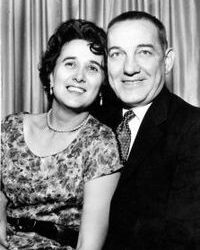
Mom-mom passed away today.Laura Sovak♥ 05/12/1921-02/13/2012 ♥ Many of you know that my grandma (mom-mom) hasn't been feeling well for a while. But she was determined to make the big holiday Christmas bash and then onward to the Giants winning the...

How-To WordPress: If your dropdown menu is “behind” your banner image
Here's one for my WP bloggers out there! I have the pleasure of working with my pal Jo Guerra from Your Marketing Gal in assisting her with setting up WP blogs for her customers. My work normally consists of fussing with the CSS code! LOL. ...
Pinterest: Additional Notes and Instructions on the “Pin It” button and adding it to your blog
In my previous Pinterest article on "How to add the 'Pin It' button to the bottom or youf blog posts", we discussed how to add the Pin It button to your blog (the share button that allows your blog visitors to easily and quickly "pin" their...

Pinterest: How to add the “Pin It” button to the bottom of your blog posts
This question, "How to add the 'Pin It' button to the bottom of my blog posts?" has been a very popular one and now I see why! First, this is a first Pinterest post in a series of them that are coming. There are many aspects of Pinterest so I will...
Blog Design from Blogs by Heather
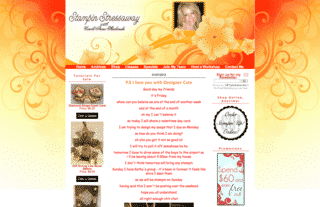
Hi there! This week was again full of design installations so I wanted to just share a few of them. My head designer, Michelle Laycock, is wonderful and because of that has a huge wait list, so I do like to help out as best I can, when I can. So although some...

Facebook Help: If your Facebook link doesn’t seem to be working anymore
A few of my customers have been recently experiencing a problem where the link they had on their blog to their Facebook page, no longer shows their page, but the main Facebook Login screen. So what happened? I asked this question on one of the clubs I'm a...
Error: No feed found.
Please go to the Instagram Feed settings page to create a feed.