
Blog
Keep visiting this page to view the latest posts!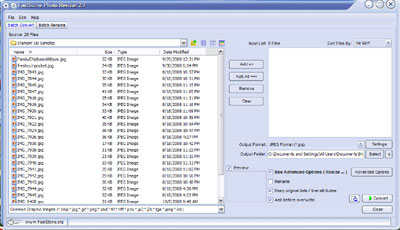
FREE Image Resizing and Watermark program
This is what you've all been waiting for! Many of us use Photoshop or Photoshop Elements, however many are looking for a free program to help add a watermark to your images or to help resize them. Here is the solution (recommended to me and SUDSOL originally from...

WordPress: Adding Image/Link to Sidebar
This tutorial is for WordPress.com and self-hosted WordPress blogs 😀 Okay, so here we go....Adding an Image/Link to your Sidebar. Step 1: Upload Image From the Dashboard, on the left click Media Library and click Add New. Select an image from your computer (or you...

Blogger: Picasa Web Albums and Mac Users
One of my customers is a Blogger customer and a Mac user. On my machine, a Windows computer, I can upload pictures to her Picasa Web Album easily. However, she is a Mac user and cannot upload to her Picasa Web Album or see it to manage it online. So I...
How to get the images for the sidebars
I had a question today that I wanted t share....the question that has been asked frequently is "how to I et the images for the sidebar?" Meaning many of you now know how to add sidebar items but don't know where to get the pictures. 1. You can make them...

Blogger: Delete an item (or page element) from the Sidebar
Recently, the Never Been Seen Before, Starter Kit Promotion and World Card Making Day promotions have ended for Stampin' Up! So, if you have these promotions on your blog then you should delete them so your visitors will not get confused and to keep your...
Typepad: Delete an item from a Typelist
For example, when a Stampin' Up! promotion ends, you should delete that promotion from your blog so it does not confuse your visitors. In this exampe, say you have a typelist named Stampin' Up! Promotions. Login to your Typepad account. Click on the gree...
.jpg)
NEW Clickable, Navigation Banners!
Michelle Laycock and I are proud to announce this new blog feature for Blogger and Typepad blog owners! It is very exciting to be able to offer you this new service. So, what is a "Clickable, Navigation Banner?" It is a banner, like mine above, that...
Blogger: Adding the Email Me Link
It is important for visitors to have a quick and easy way to contat you when visiting your blog. Email Me or Contact Me links are wonderful. Go to the Dashboard, choose Layout, Page Elements. Then click Add a Gadget (or Page Element depending on what version of...
Typepad: Adding the Email Me Link
It is a good idea to have an Email Me link on your blog so visitors can quickly and easily contact you. In Typepad, they make this easy. Go to your weblog. Click on Design. Click on Select Content and down on the left hand side there is a place where you can put...

Getting Started With Blogger
Below are the most popular and recommended tutorials to get you blogging with your new Blogger blog! There are more advanced topics and tutorials on this blog, but there are specifically selected to get you started and teaching you some of the basic concepts of...

Getting Started With Typepad
Below are the most popular and recommended tutorials to get you blogging with your new Typepad blog! There are more advanced topics and tutorials on this blog, but there are specifically selected to get you started and teaching you some of the basic concepts of...

For Stampin’ Up! Demonstrators Using Internet Ads – Statement For Blogs
If you are a Stampin' Up! demonstrator and use internet ads to direct visitors to your blog, then as part of the new Stampin' Up! Internet Policy the following text should now be on your blog: "This is my personal blog, I am an Independent...

HTML for Creating an Image Hyperlink
Here is the code you need to add a picture to your blog. The generic format: <a href="name of the site you want to go to when the user clicks on this" target="_blank"><img src="name of your file from your Typepad file manager or...

Blogger: Creating “Sites I Like To Visit” In Sidebar
On many blogs, you will notice something similar like "My Favorite Links" or "Sites I Like to Visit" or "Charities I Donate To". In Blogger, this is called a Link List type of Page Element/Gadget. Creating the list: Login to...

Typepad: Creating “Sites I Like To Visit” In Sidebar
On many blogs, you will notice something similar like "My Favorite Links" or "Sites I Like to Visit" or "Charities I Donate To". In Typepad, this is a typelist, a Links type. Below are instructions on how to create the typelist and...

Blogger: Making the most of your sidebar
As you may already know Blogger does not have the "Pages" and "Feature This Post" features and abilities that Typepad has. However, all is not lost. The important thing to remember is that whatever information you would want quickly...

Typepad Photo Albums
Many demonstrators use galleries, or photo albums, to showcase a large quantity of images - not just those in their posts. I use it to keep a gallery, or portfolio, of completed blogs I've setup. Here are instructions on how to create a new photo album, and...

Registering a Domain Name with Go Daddy
A few customers wanted some help with registering a domain name with Go Daddy. A domain name is in the form of www.blogsbyheather.com, where as most blogs have their blog platform in your blog addresss, such as www.heatherporto.typepad.com (so you would...

Add a Sock Monkey Clock (For SU Demonstrators)
This post is for Stampin' Up! Demonstrators, but can be used by anyone with a blog that would like a cute clock added to their sidebar. Judy Veasey, a Stampin' Up! demonstrator told me about this while I was setting up her new blog - thanks Judy! There...

Did You Know…Typepad vs. Blogger (Pros and Cons)
Many have asked, what platform is better - Blogger or Typepad. This really depends on your blogging needs and your budget. However, here is a quick review of each. Please feel free to ask me about any features you may not see listed here or if you have...
Error: No feed found.
Please go to the Instagram Feed settings page to create a feed.